Widgets
A widget is a tile bound to one or more Home Assistant entities. Dash ships with widgets for lights, switches, sensors, climate, covers, scenes, and more. Community widgets are installed from Hub.
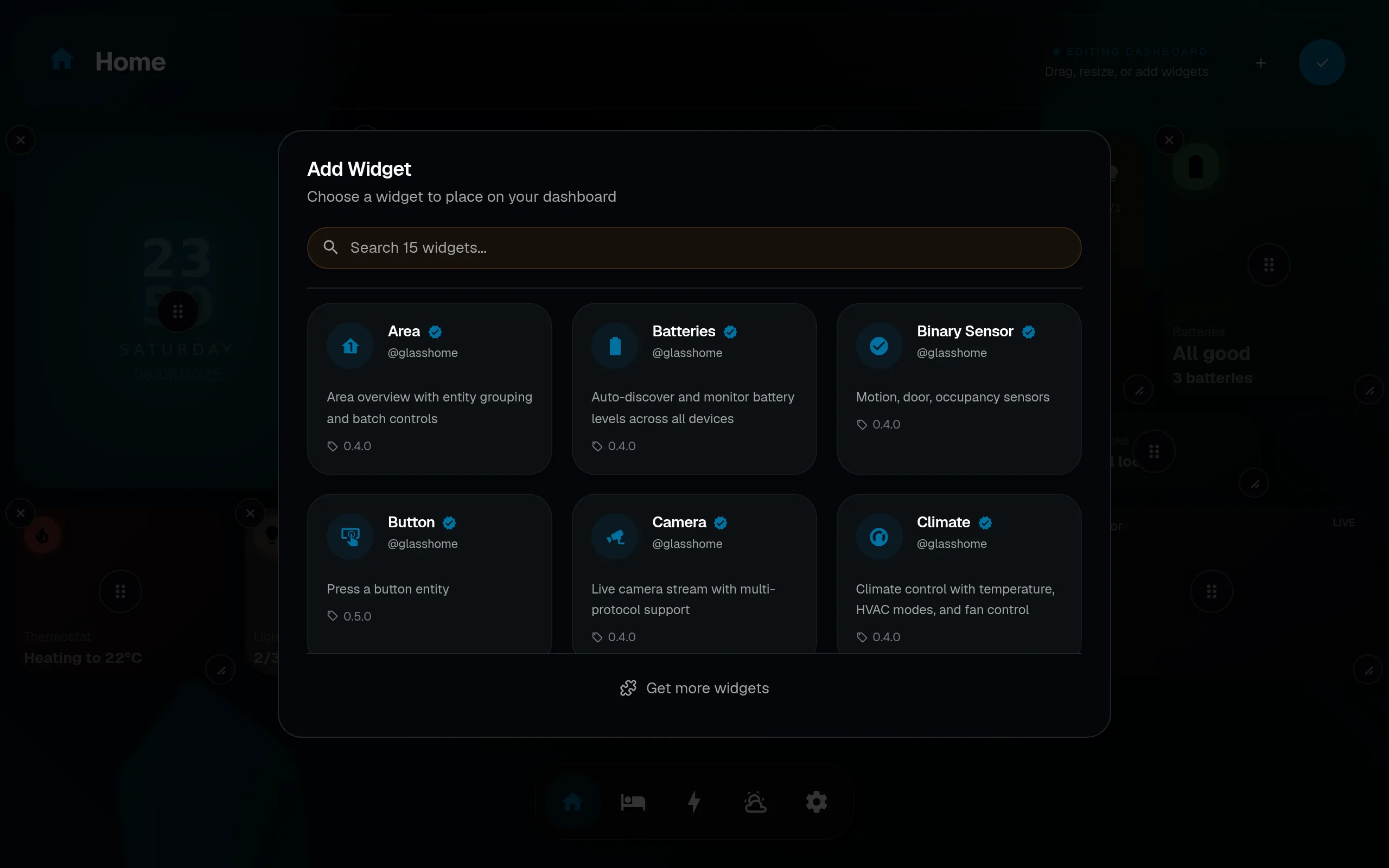
Adding a widget
Adding widgets is part of edit mode. See Editing for the full step-by-step and gesture reference.
Configuring a widget
Open edit mode and tap the gear or edit affordance on any widget. The config dialog opens with fields auto-generated from the widget’s schema: bound entity, display options, size, color, and more. Changes save instantly, no apply button.
For the complete gesture reference (including how the config dialog relates to the detail dialog in live mode), see Editing.
Built-in widget types
All official @glasshome widgets are included in Dash and available to every user for free.
| Widget | What it does |
|---|---|
| Light | Toggle, dim, color-temp. Supports groups and color lights. |
| Switch | Toggle any switch or input boolean. |
| Sensor | Display a sensor value with configurable unit and precision. |
| Climate | Temperature setpoint, HVAC mode, fan mode. |
| Cover | Open, close, and position blinds, garage doors, and shutters. |
| Scene | Activate a scene with a single tap. |
| Area | Area overview with entity grouping and batch controls. |
| Batteries | Auto-discover and monitor battery levels across all devices. |
| Binary Sensor | Motion, door, occupancy, and other binary sensors. |
| Button | Press a button entity. |
| Camera | Live camera stream with multi-protocol support. |
| Locks | Lock and unlock with status display. |
| Blinds | Position slider and tilt control. |
Community widgets
Pro required
Installing community widgets requires a Pro license. Official @glasshome widgets are free for everyone.
Browse and install community widgets from the widget picker (tap Get more widgets at the bottom), or browse the registry at glasshome.app/#widgets.
- Official widgets are verified by GlassHome and install without a prompt.
- Community widgets ask for consent before install (third-party code).
The bundle is downloaded once from Hub’s CDN, then cached and served locally.
Build your own
Custom widgets are SolidJS components with a Zod config schema. Dash auto-generates the edit form from the schema, so you do not write any settings UI.
Start with Getting Started.