
install, app, addon, add-on, app store, repository, Home Assistant OS, Supervised
Install on Home Assistant
GlassHome runs as an app next to Home Assistant, on the same machine. You install it from Home Assistant’s App store in a few taps. Home Assistant has to learn where GlassHome lives first, which takes one pasted address.
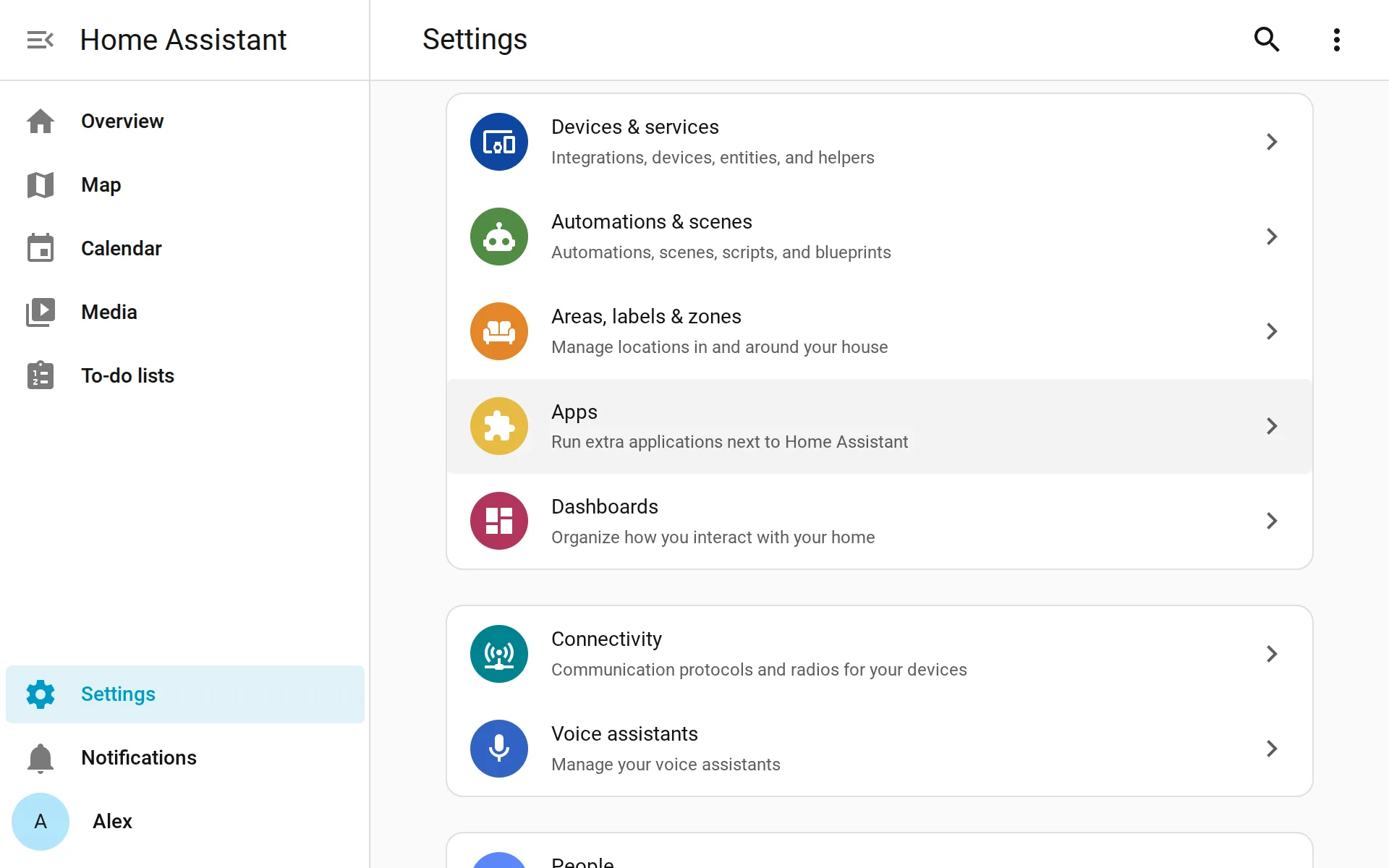
Open Apps in Settings
In Home Assistant, open Settings in the sidebar, then tap Apps. Older versions of Home Assistant call this row Add-ons.
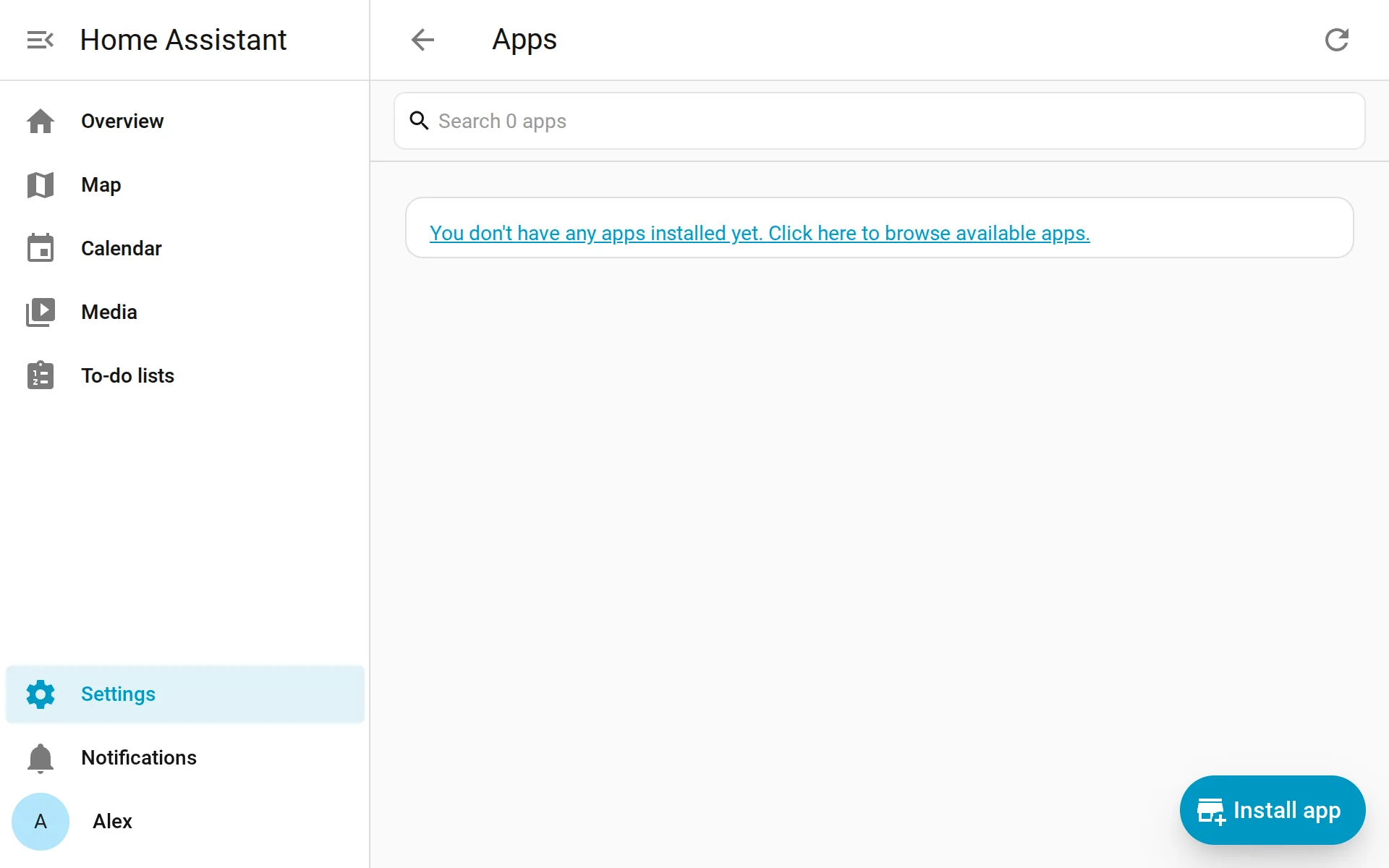
Open the App store
Tap Install app in the bottom right corner. The App store opens.
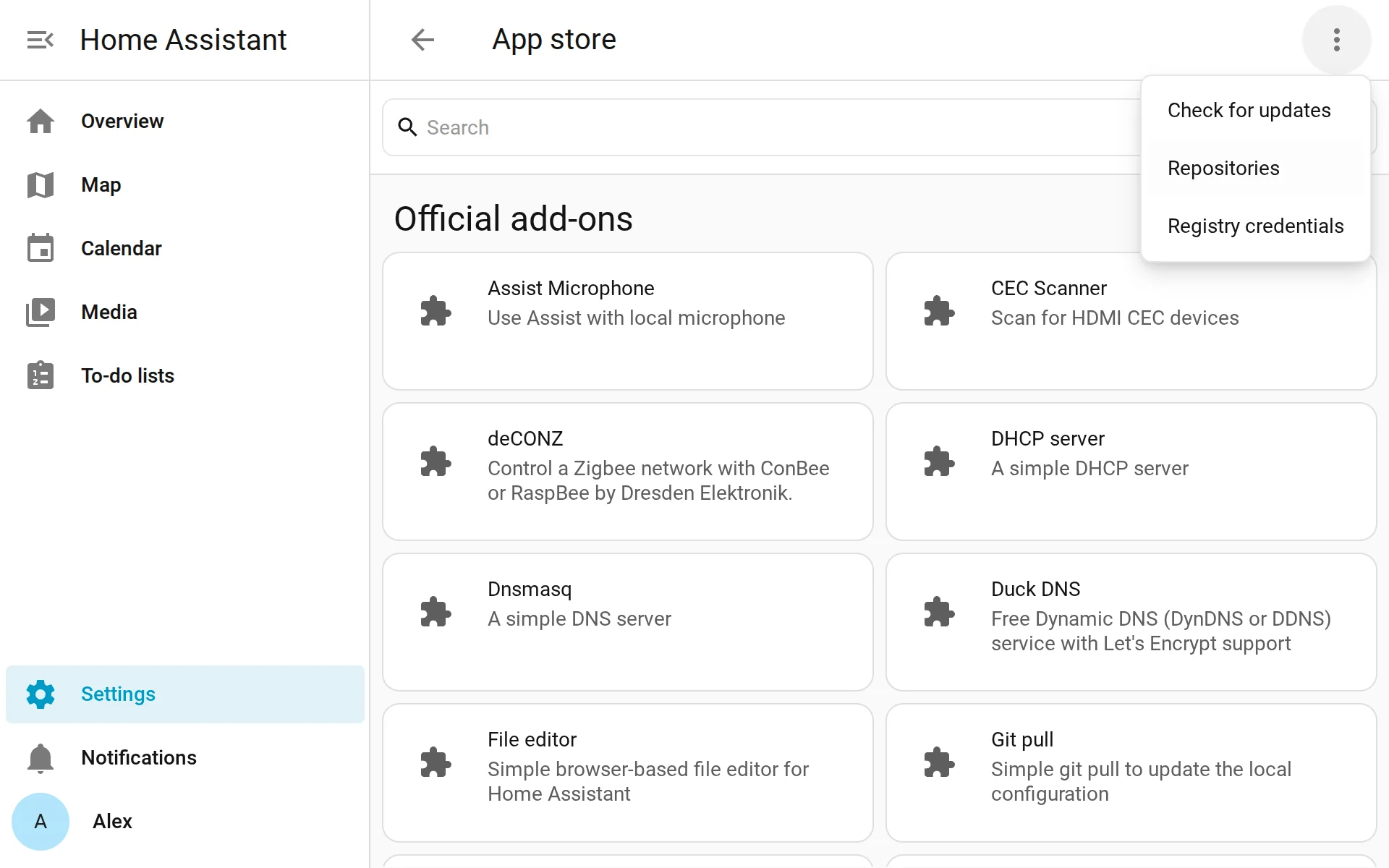
Open Repositories
Tap the three dots in the top right corner, then Repositories.
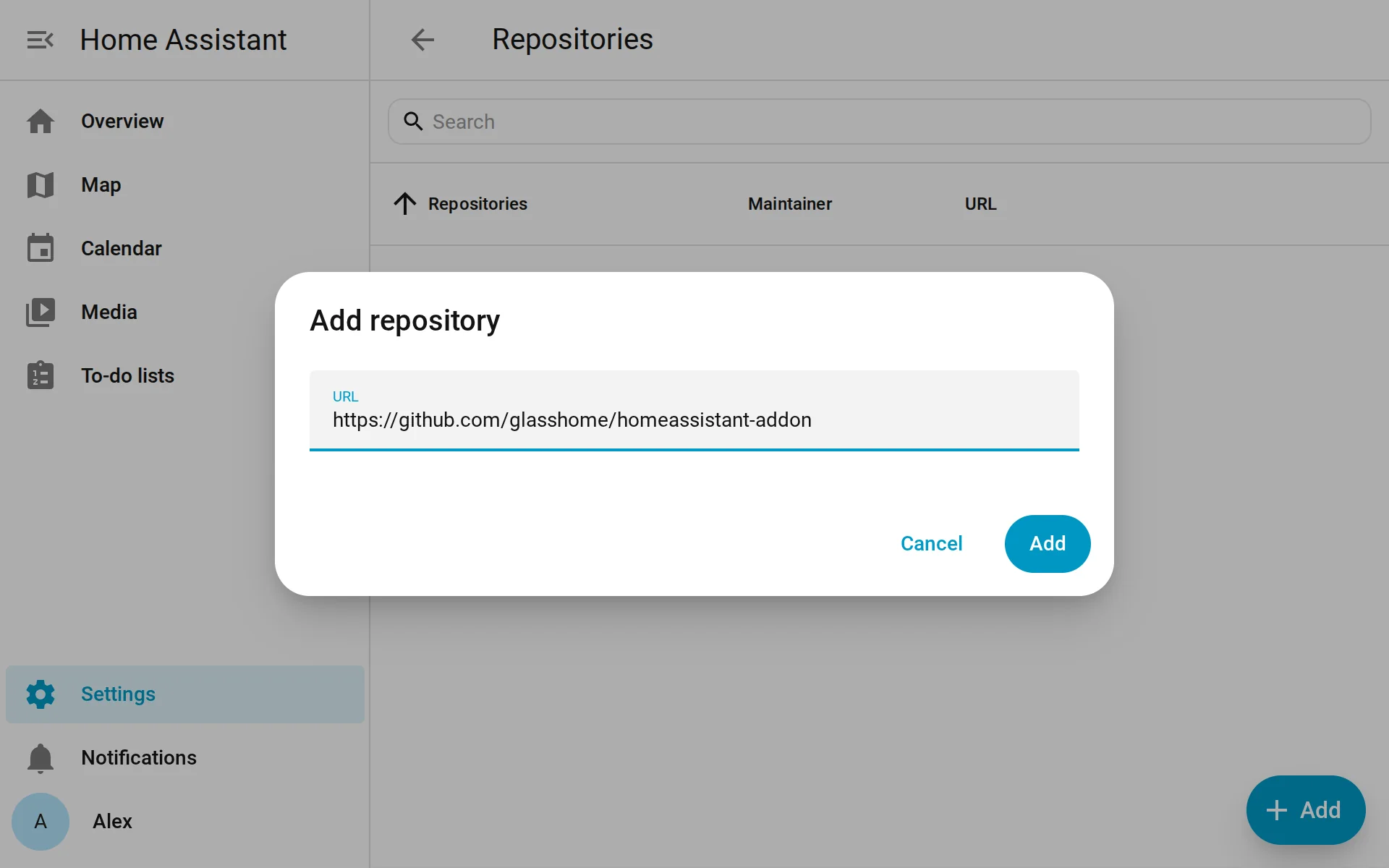
Add the GlassHome repository
Tap Add and paste this address into URL:
https://github.com/glasshome/homeassistant-addonTap Add. GlassHome shows up in the list of repositories. Tap the back arrow to return to the App store.
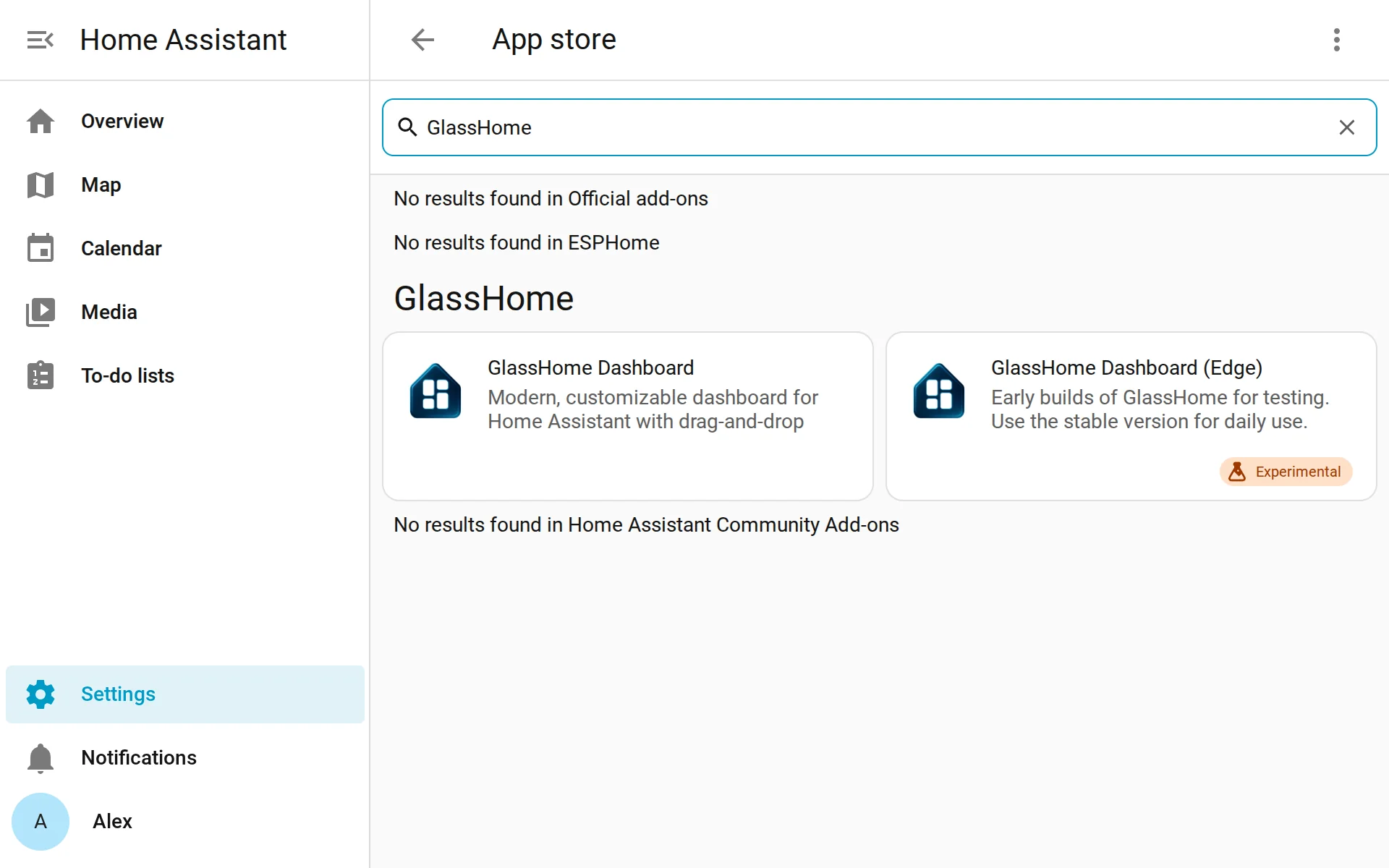
Find GlassHome
Type GlassHome in the search field. Two cards appear under GlassHome. Tap GlassHome Dashboard. The card marked Experimental holds test versions of GlassHome.
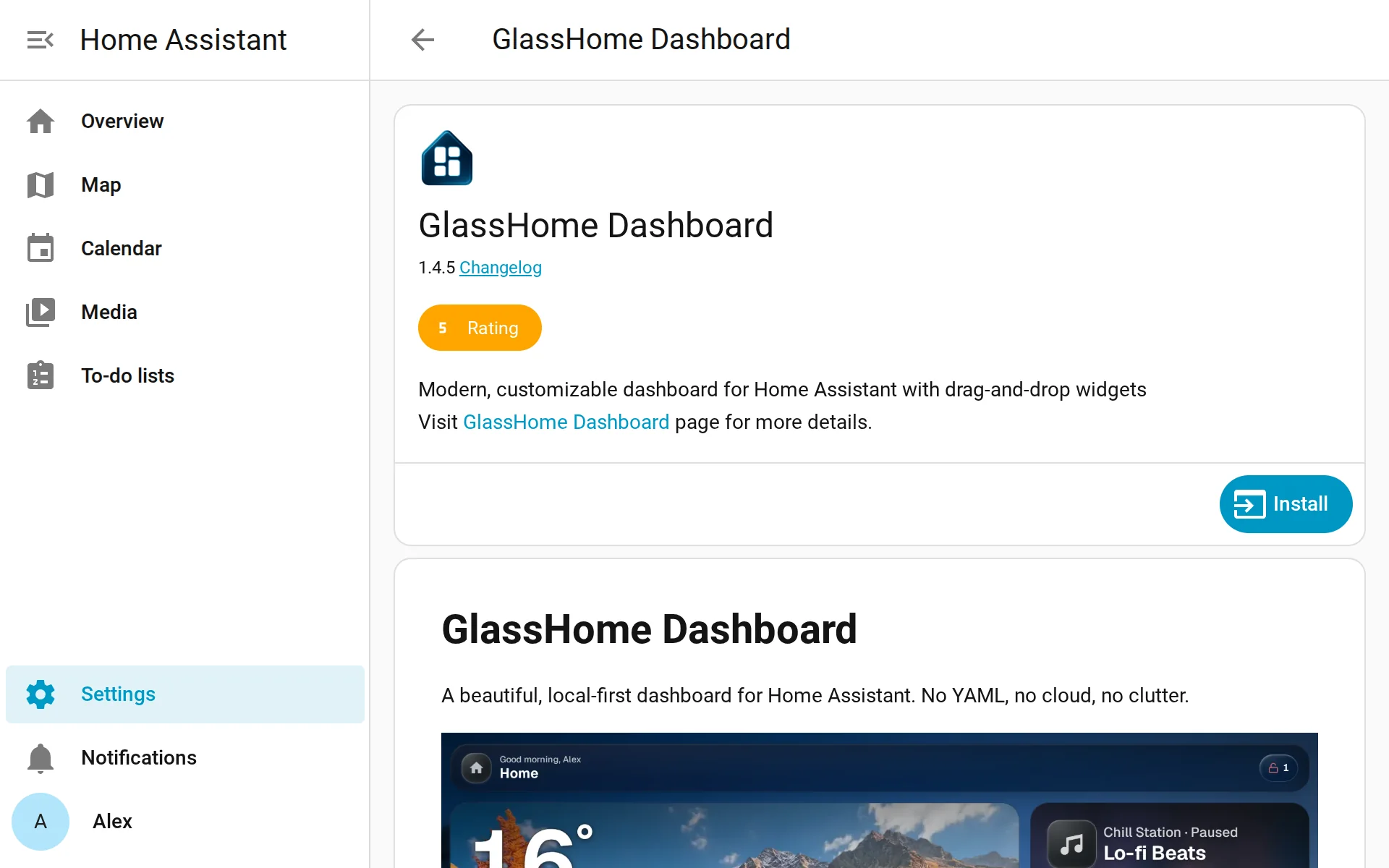
Install
Tap Install. Home Assistant downloads GlassHome, which takes a few minutes on a Raspberry Pi. Leave the page open until the Start button appears.
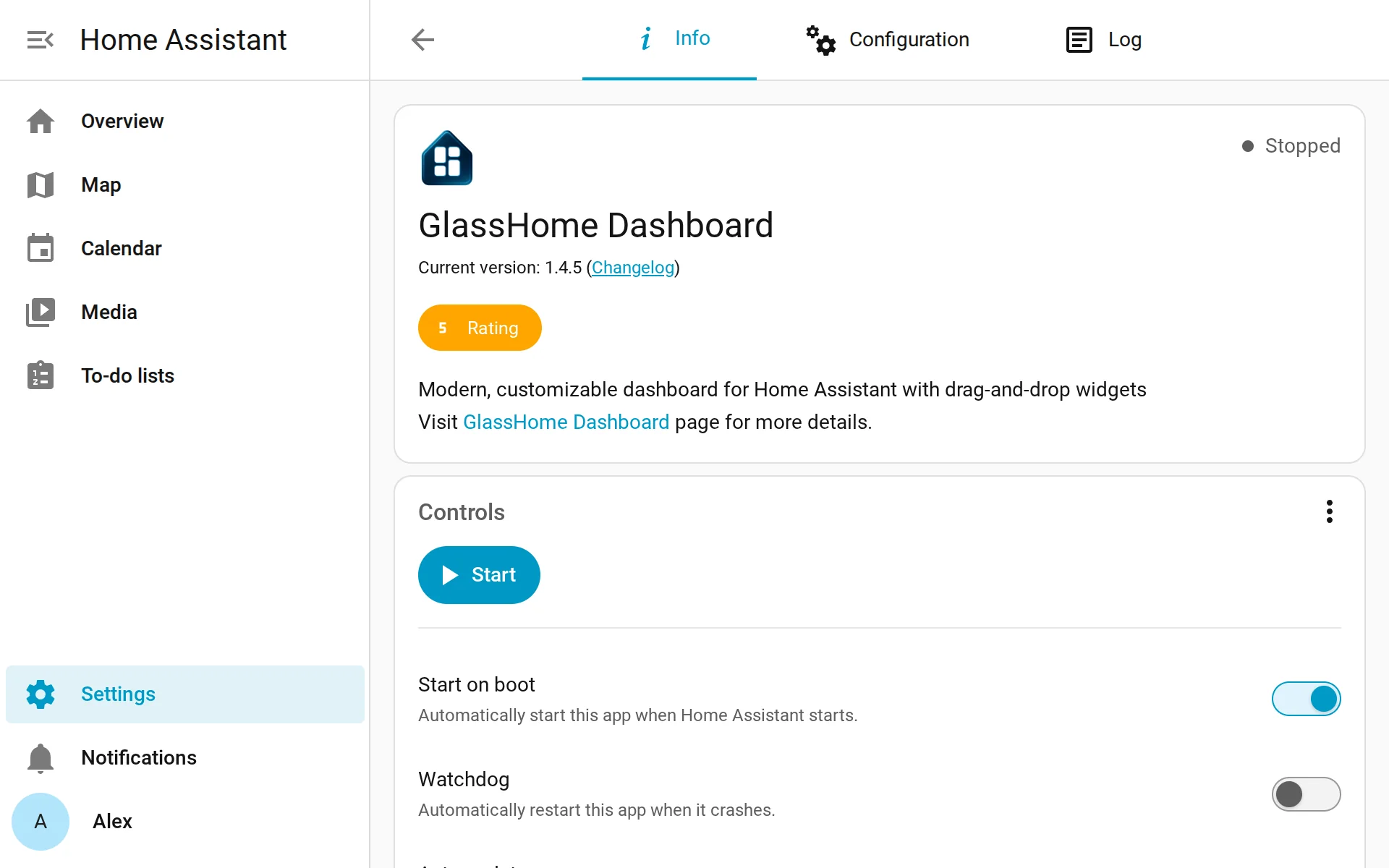
Start
Tap Start. Start on boot is already on, so GlassHome comes back by itself after a restart or a power cut.
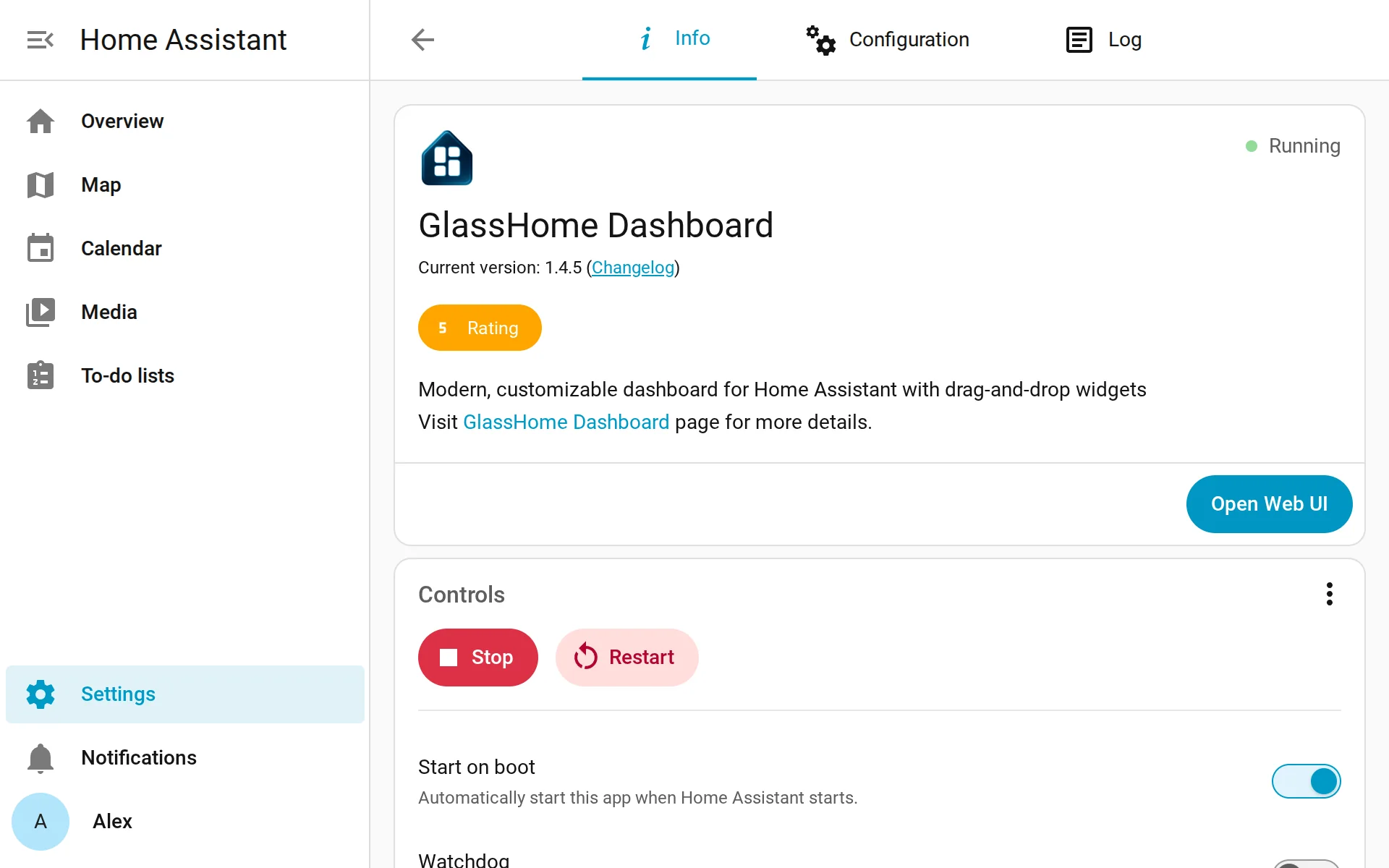
Open GlassHome
When the app says Running, tap Open Web UI. GlassHome opens in a new tab at port 3123, for example http://homeassistant.local:3123. Bookmark this address: the kitchen tablet and every phone in the house use it too.

GlassHome is running
The welcome screen says Let’s light up your home. and starts looking for Home Assistant.
You are done when
GlassHome is installed. Next, connect Home Assistant with one sign-in. More about the app, its settings and its log: Home Assistant app.